How it Works:
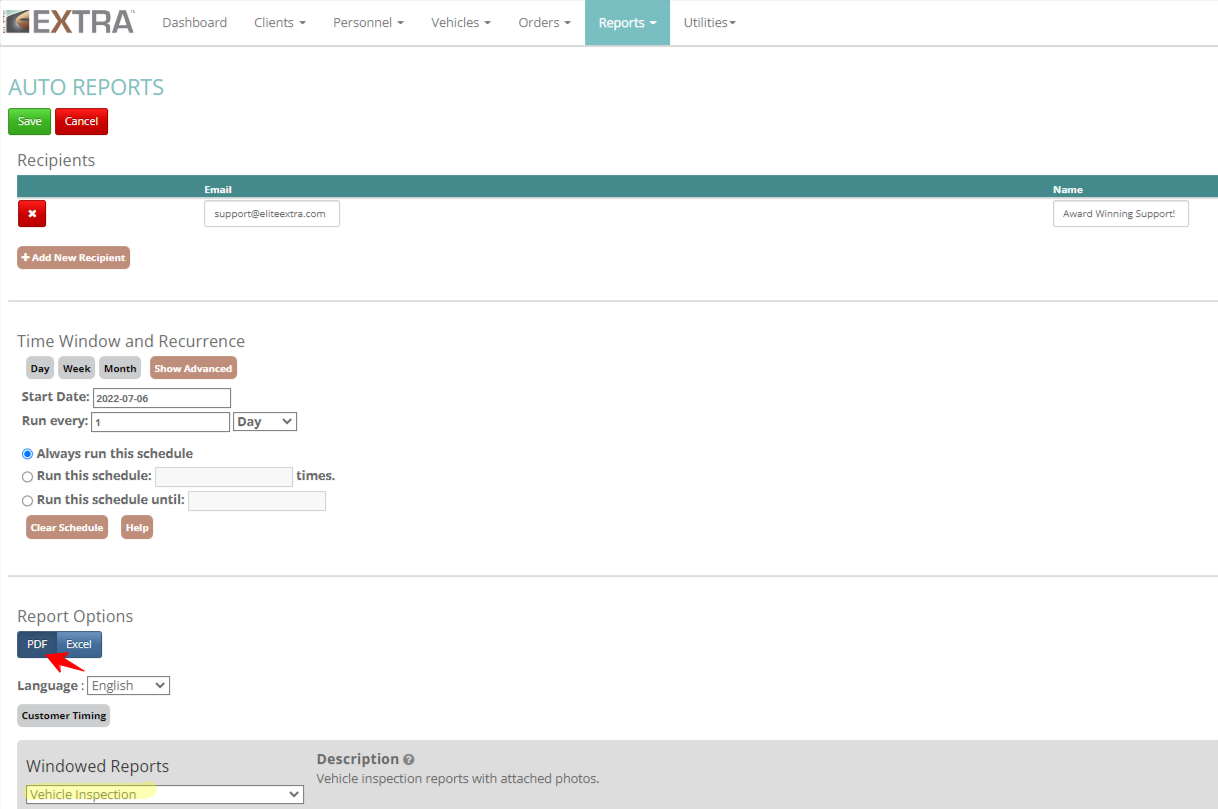
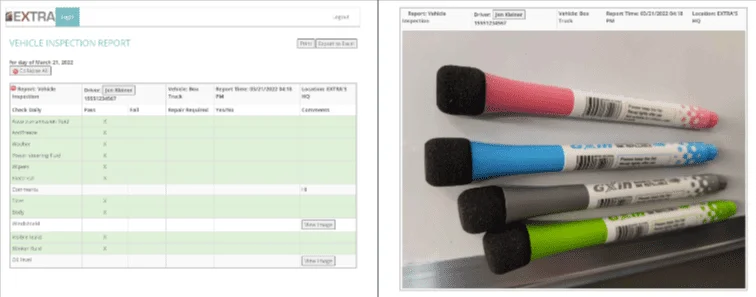
Elite EXTRA offers users the ability to customize digital vehicle inspection reports (DVIR) that are completed through the EXTRA DVIR application. If taking photos is part of the desired inspection process, they are uploaded to the Vehicle Inspection Report. This report can be enabled as a PDF auto report, which will include the name of the inspection report, driver name, vehicle, report time, and location. Photos will now be appended to the end of the report (one photo per page). Be sure to select the PDF option instead of Excel when defining your auto report parameters.
Benefits:
This is an enhancement to the PDF Vehicle Inspection
Auto Report, as photos are now included. This
automated report feature saves users time by
automatically emailing the report details with photos
on a designated schedule (daily, weekly, monthly).
Multiple recipients can receive the automated
report.
Contact Elite EXTRA Support at
support@eliteextra.com
or (888) 484-8729, opt 3 for more information.