How it works:
Drivers can add return pickup stops mid route in the EXTRA Driver app.
- Begin their route in EXTRA Driver
- Tap the menu icon (3 dots)
- Select Create Return Pickup (iOS) / Create Return (Android)
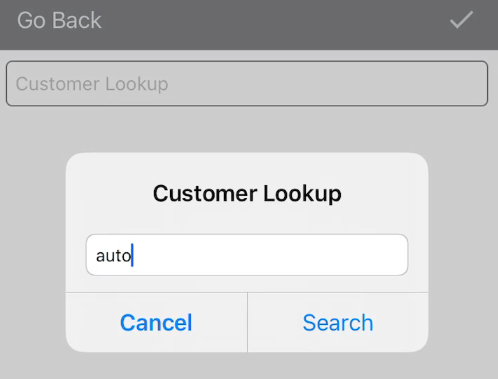
- Tap into the Customer Lookup field to search for the customer
- Select the customer and OK (iOS) / Add (Android)
-
Enter the customer’s return information (item
number, quantity, ordered by, etc.)
- Some fields are optional (e.g., item description, line code)
- Add to select the return reason
-
iOS: Tap the checkmark at the top to create a new
stop for the pickup return
Android: Tap OK


Benefits:
Drivers can create their own return pickup stops within EXTRA Driver; freeing up your dispatcher to focus on other priorities. This is especially helpful for businesses experiencing staff shortages.